
Product Feed Audit: Find the Drift Killing Your Listings
 Thomas Mann
Auditing 50,000 Product Pages: Finding the Drift That Quietly Kills Your Listings
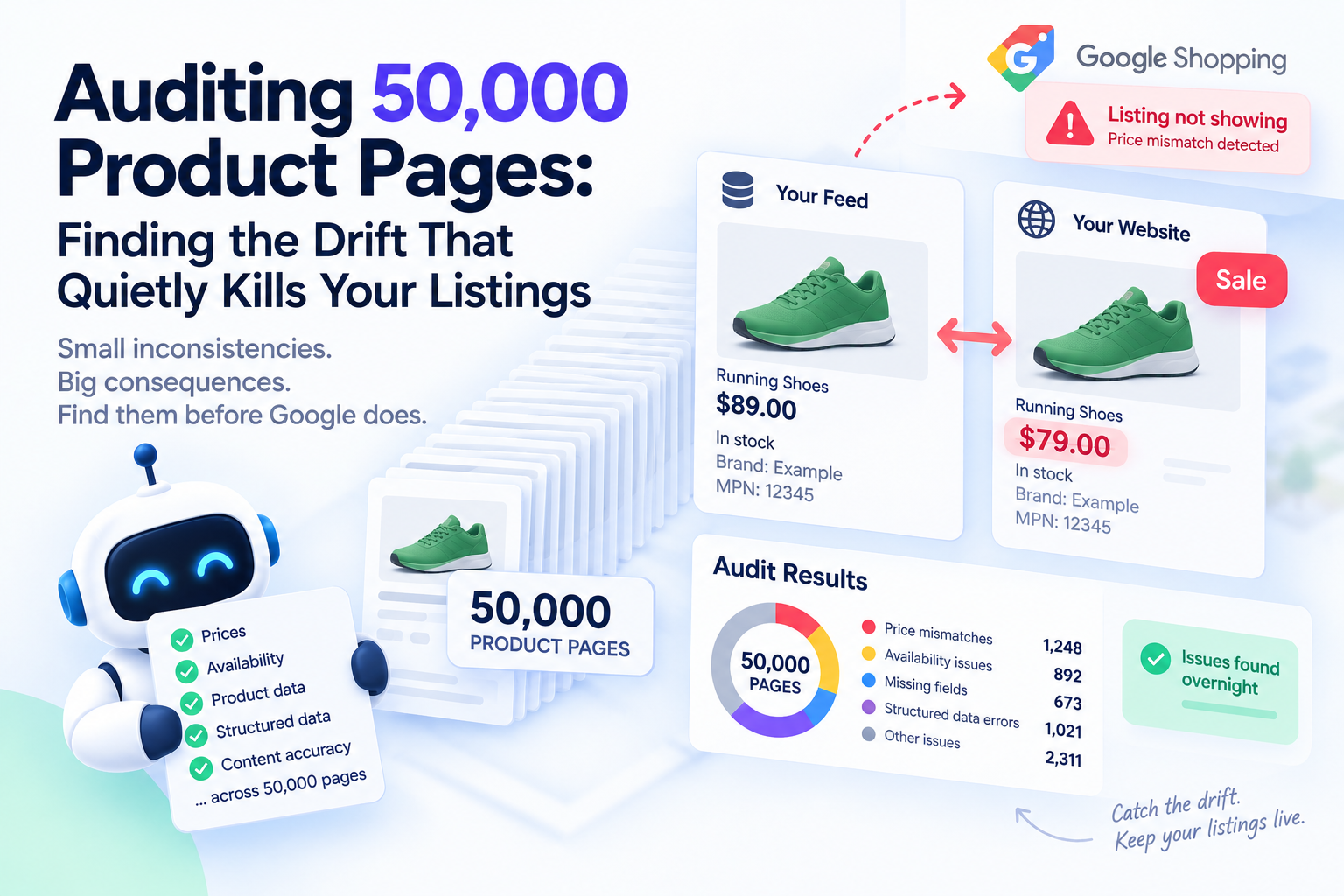
Somewhere in your catalogue right now, a product is failing. The feed says it costs $89. The page says $79, because a sale started on Tuesday and nobody updated the feed. Google noticed before you did, and that product stopped showing in Shopping.
Nobody sent you an email about it.
This article explains how that failure happens, why it's almost impossible to catch by hand, and how a small automated audit finds it across your entire catalogue overnight. Sections marked [Technical] are for whoever builds this. If that isn't you, skip them — the rest of the article still makes sense.
Who This Is For
Worth doing when:
- You have more than about 1,000 products — below that, spot-checking by hand still works
- You sell through Google Shopping and have a Merchant Center feed
- Prices change often: sales, promotions, dynamic pricing, seasonal stock
- Nobody currently checks whether your feed, your pages and your markup agree with each other
Not worth doing when:
- You have a few dozen products and change prices rarely
- Your store, feed and markup all come from one system that updates them together, and you've verified that
- You don't use Google Shopping at all
The Failure Nobody Gets an Email About
Your product data lives in more places than you probably realize. There's the feed you send to Merchant Center. There's the price a customer sees on the page. And there's the structured markup — invisible code on the page that tells machines the price, the stock status and the currency.
All three are supposed to say the same thing. In a real store, they drift apart constantly.
A sale goes live in your shop system but the feed still holds yesterday's price. A product sells out, the page updates, the markup still says "in stock". A currency setting changes on one template and not another. None of this looks like a problem from the inside.
Google checks anyway. It crawls your landing pages and compares what it finds against your feed. When it spots a difference in price or availability, the product can stop serving immediately — no warning, no grace period, no notification.
Think of it as a rubbish bin fire in a shop with no smoke alarm. It isn't dramatic and nobody announces it. You find out from the sales figures three weeks later.
That's the entire problem this audit solves: it's a smoke alarm for your catalogue.
If You're Still on the Content API, Read This First
Before anything else, one urgent piece of housekeeping.
The Content API for Shopping — the long-standing way most shop systems sent product data to Google — shut down on 18 August 2026. Requests began returning progressive errors from 1 September.
If your integration was never migrated to its replacement, the Merchant API, the symptoms look like this: prices and stock stop updating, sold-out products stay listed as available, new products never appear, and existing offers start getting disapproved.
Those symptoms are easy to mistake for the drift problem this article describes. They aren't the same thing, and no audit will fix them. Check with whoever maintains your feed integration before you build anything else. If migration will take longer than you have, Google has an application process for extended access — but that's a delay, not a solution.
What Google Actually Requires
Structured markup on a product page has two tiers. There's the minimum that makes you eligible at all, and there's the fuller set that unlocks the richer listings customers actually notice.
| Tier | What it needs | What it gets you |
|---|---|---|
| Minimum | Product name, image, and an offer containing price, currency and availability | Basic eligibility. Miss any of these and the page doesn't qualify at all |
| Full | The above plus brand, a product identifier such as GTIN or MPN, ratings, shipping details and a return policy | Richer listings with more information shown to the customer |
Three things changed in April 2026 that catch stores out. Product images must now be at least 500 by 500 pixels in every category. Shipping can be controlled at the individual product level. And there's a new attribute for product videos. Older catalogues with small legacy thumbnails fail that image rule silently.
Then there are the small formatting mistakes that break everything while looking fine to a human. Price has to be a plain number — 19.99, not $19.99, and not 1,350 with a comma. Currency has to match what your feed says. These are the errors most likely to be sitting in your catalogue right now, because nothing on the page looks wrong.
[Technical] Pull Your Data From the API, Not a File
The instinct is to grab the feed file and parse it. Don't. The Merchant API gives you the same product data plus something far more valuable: product statuses.
Product statuses are Google's own verdict on each item — whether it's approved, and if not, the specific reason. That turns the whole exercise around. Instead of guessing why an item isn't showing, you get the official answer, per product, programmatically.
It matters because your audit will produce hypotheses. "This price mismatch is probably why that SKU vanished." The status tells you whether the hypothesis is right. Without it, you're fixing things that may not have been broken while missing the ones that were.
[Technical] The Crawl Stack
Nothing exotic here, but the choices matter at 50,000 pages.
| Tool | Why this one |
|---|---|
httpx with asyncio |
Fetches thousands of pages concurrently without the overhead of a full crawling framework |
selectolax |
HTML parsing that is several times faster than the usual choice. At this volume that's hours, not seconds |
extruct |
Pulls out structured markup in all its formats with one call. Badly underused, and exactly right for this job |
pydantic |
Lets you write Google's requirements once as a model, then validate every product against it automatically |
polars |
Joins and reports across 50,000 rows without a coffee break |
playwright |
For spot-checks only, never the main crawl. The next section explains why |
[Technical] The Trap: Crawl Like a Machine, Not a Browser
This one catches experienced teams, so it's worth understanding even if you're not building it.
Modern storefronts often build part of the page in the visitor's browser after it loads. The price appears, the stock status appears, the markup appears — but only after that extra step runs.
Google's product data checks look at the version of the page delivered by your server, before any of that happens. If your markup only exists after the browser does its work, it may not count.
The practical consequence: run your main audit with plain requests, exactly as your server delivers the page. If you crawl with a full browser instead, everything will look perfect and you'll learn nothing. Use the browser only afterwards, on a small sample, to confirm what you suspect.
The difference between those two views of the same page is itself a finding. If the price only appears in the browser version, that's a problem worth fixing regardless of anything else in this audit.
Comparing Four Sources of Truth
Here's the heart of it. Four places claim to know what your product costs and whether it's available, and the audit's job is to find where they disagree.
| Source | What it represents |
|---|---|
| The feed | What you told Google |
| The markup | What your page tells machines |
| The visible page | What your customer sees |
| The product status | What Google concluded |
Not every disagreement is equally urgent. Sort them by what they actually cost you.
| Type of drift | Risk | What it usually means |
|---|---|---|
| Price differs between feed and page | Critical | A sale or price change that only reached one system |
| Availability differs | Critical | Stock updates that don't reach the markup, or a cached page |
| Currency mismatch | High | Multi-market setups where one template was missed |
| Price written as text, not a number | High | A template quirk. Usually affects a whole product type at once |
| Missing identifier, brand or image rules | Medium | Lost eligibility for richer listings rather than removal |
| Markup missing entirely | Medium | Often an entire category or page template, not one product |
That last observation is worth holding onto. Problems in a catalogue almost never affect one random product. They affect a template — every item in a category, every product with variants, everything imported from one supplier. Finding one broken product usually means you've found four hundred.
What Google Gives You About Competitors, Legally
A natural next question: can this tell me anything about competitors?
It can, and you don't need to crawl anyone's site to get it. Merchant Center reports what other retailers charge for the same products you sell. It also shows which products and brands are selling best on Google right now, whether you stock them, and which competitor domains you appear alongside.
That's a full article of its own, and it's the next one. For now, one warning belongs here, because the moment people see that data the same idea occurs to everyone.
Warning: never list products you don't actually sell.
Every product in your feed must genuinely be purchasable on your landing page. Listing items you don't stock — competitor products, supplier catalogues, anything aspirational — falls under Google's misrepresentation policy.
That policy is enforced differently from everything else. Most violations give you a warning and time to fix them. This one suspends the account on detection, with no warning and no grace period. Products disappear from Shopping immediately. Appeals take around seven business days and often longer, and accounts that look like dropshipping face a higher bar to get back.
Since 2026, a pattern of out-of-stock products with active buy buttons is treated the same way — as misrepresentation, triggering account-level review. Sloppy stock data now sits in the same category as deliberate misrepresentation.
The best-sellers report exists so you can decide what to actually start stocking. Skipping the "actually stock it" step is what costs people their account.
What the Report Should Show
A wall of validation errors is not a report. Nobody acts on 3,000 rows of "invalid schema".
What a shop owner needs to see, in order:
- Products at risk right now — price or availability mismatches, ranked by what those products are worth to you
- Broken templates, not broken products — grouped by category or page type, because that's how the fix gets made
- Where your audit disagrees with Google — items you flagged as fine that Google disapproved, or the reverse
- Drift over time — whether things are getting better or quietly worse after each release
- Missing fields for richer listings — the upgrade list, separated from the emergency list
Keeping the emergency list separate from the improvement list is the difference between a report someone acts on and a report someone closes.
[Technical] The Pipeline
- Pull products and their statuses from the Merchant API. This gives you both what you submitted and Google's verdict on it.
- Crawl each landing page with plain asynchronous requests, exactly as the server delivers it.
- Extract the structured markup from the raw HTML.
- Validate it against a model of Google's requirements, so failures are typed rather than free text.
- Parse the visible price and availability from the page as a customer would see them.
- Join all four sources on product ID.
- Classify each disagreement by type and severity, using the risk table above.
- Group by template before reporting, so a systemic issue looks like one problem instead of four hundred.
- Alert on critical drift and file the rest into the improvement backlog.
- Spot-check a sample with a real browser to confirm whether anything important only appears after the page loads.
What This Costs
Less than people expect, which is the main reason it's worth doing.
Crawling your own site costs nothing except load on your own server. The Merchant API costs nothing. The whole thing is a scheduled script and somewhere to keep the results.
Fifty thousand pages at a sensible request rate takes a few hours — comfortably an overnight job. Two practical cautions: don't run it during your peak traffic window, and don't crank up concurrency to finish faster. You'd be adding load to your own store to audit your own store, which is a strange way to lose sales.
For most catalogues, weekly is the right cadence, with daily runs on your best-selling products where the money is concentrated.
Honest Limitations
You see what a simple crawler sees. That's close to what Google's product checks see, but not identical. Treat findings as strong signals, not certainties.
Automatic updates aren't a safety net. Google can correct your feed from your page markup — but only if the markup is right. When both the feed and the markup are wrong, there's nothing to correct from.
Some reports have eligibility conditions. Access to the market-insight reports depends on meeting Merchant Center requirements, so not every account can pull everything.
The audit finds disagreements, not answers. When the feed says $89 and the page says $79, something has to tell the script which is correct. That's a business decision, and it stays yours.
Conclusion
None of this is glamorous work. It doesn't add products, launch campaigns or write copy. It just makes sure the products you already sell are still visible to people trying to buy them.
The reason it's worth automating is the silence. There's no alert, no email, no dashboard warning — only a slow leak in revenue that shows up in a monthly report long after it started.
Start with your best sellers and the two checks that matter most: does the price match everywhere, and does the stock status match everywhere. That covers most of the damage. Everything else in this article is refinement.
Further Reading (Sources & Documentation)
Google documentation
- Merchant API — documentation and migration guide
- Product structured data — Google Search Central
- Product data specification
- How to fix: automatic updates, mismatched price
- How to fix: automatic updates, mismatched availability
- Misrepresentation policy
- Allow Merchant Center to update product information automatically
Libraries
- extruct — structured data extraction
- selectolax — fast HTML parsing
- httpx — async HTTP client
- pydantic — data validation
