
AI Content Automation: CMS APIs, Costs and Google Risks
 Thomas Mann
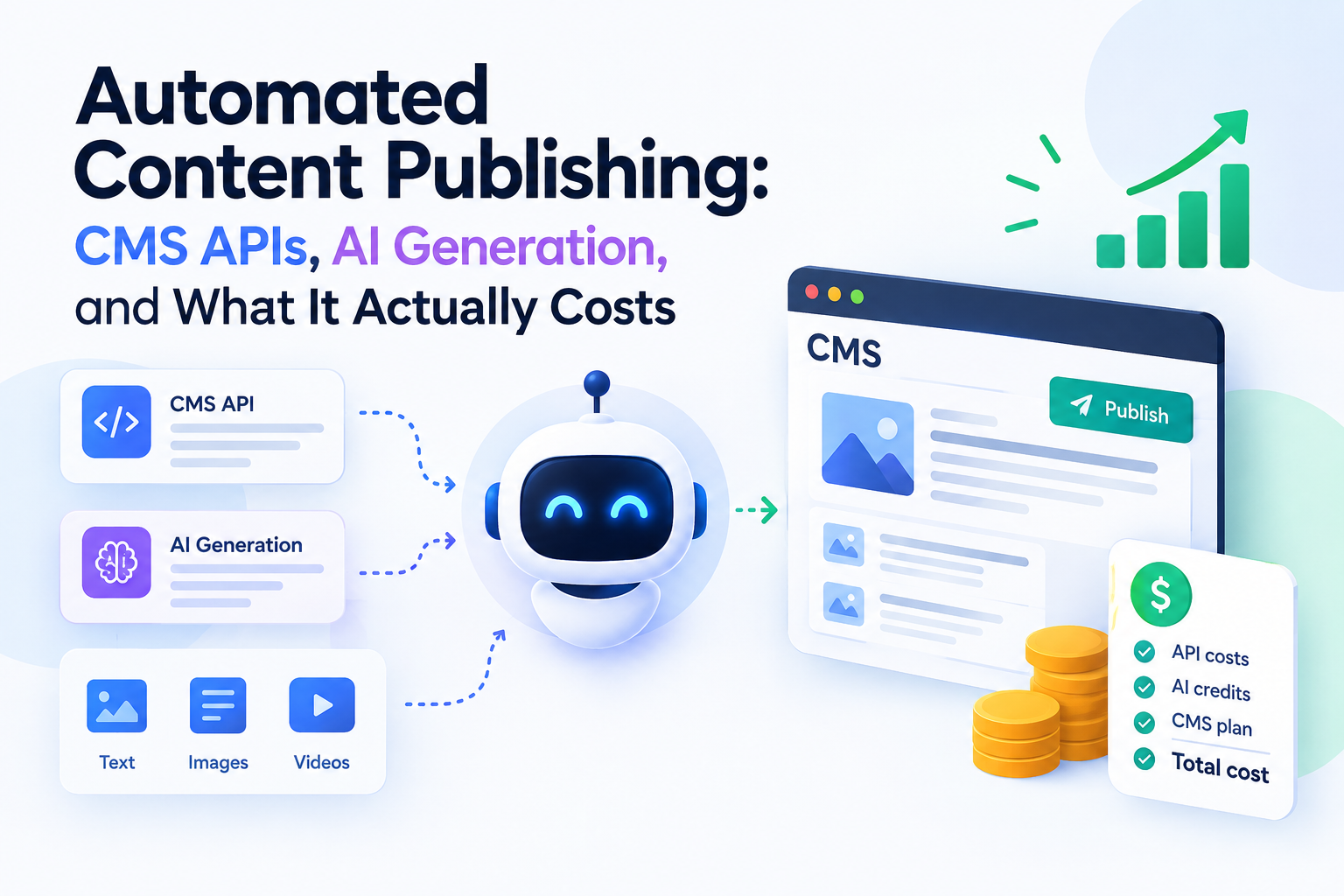
Automated Content Publishing: CMS APIs, AI Generation, and What It Actually Costs
Generating an article with AI takes seconds. Publishing it automatically takes an API call. Put those two things together and you have a pipeline that can produce a thousand posts without anyone touching a keyboard.
That's the pitch. The reality is more interesting, and the costs sit somewhere most people don't look. This article covers all three layers — generation, assembly, publishing — plus a hard-numbers breakdown of what one post and one thousand posts really cost. Sections marked [Technical] go deeper into specific APIs. Skip them if you're not the one building it.
Who This Is Actually For
Automated publishing isn't a content strategy. It's a throughput tool. It removes the mechanical work of producing and posting. It does not remove the need for someone who knows what should be published and why.
Here's the gut-check before you read the rest.
Works well when:
- You already publish regularly and the bottleneck is production speed, not ideas
- Your content has a repeatable structure — location pages, product descriptions, comparison pages, glossary entries
- You have someone who can review output before it goes live
- Your CMS has a working API (most do)
Doesn't work when:
- You publish a few high-stakes pieces a month — setup cost outweighs the saving
- Your content depends on original research, interviews, or first-hand expertise the model doesn't have
- Nobody has time to review output — unreviewed publishing at scale is how sites get penalized
- You're hoping volume alone will rank. It won't, and Google's spam policies target exactly that
Who actually needs it: teams producing structurally similar content at volume. E-commerce catalogues, multi-location service pages, programmatic landing pages, large glossary or documentation sets. The work is repetitive, but the output still has to be correct.
What "Automated Publishing" Actually Means
Every pipeline of this kind has the same three layers.
Generate. Produce the raw material — text, images, sometimes video.
Assemble. Turn that raw material into a publishable object: structured body, meta tags, image references, internal links, schema.
Publish. Push it into the CMS through an API.
Think of it as a print shop. The press doesn't decide what the book says. It prints reliably, once someone has approved the plates.
Most failed pipelines fail in the middle layer. Generation is easy now. Turning a wall of generated text into a correctly structured, internally linked, schema-tagged page is where the actual work lives.
[Technical] Layer 1 — Text Generation
Anthropic, OpenAI, and Google all offer official Python SDKs. Model choice matters less than pipeline design.
The single most important decision is to ask for structured output. Request JSON with defined fields — title, meta_description, h2_sections, body_html, schema — rather than "write me an article". Structured output is what makes automated assembly possible at all. A prose blob has to be parsed and guessed at. A JSON object slots straight into a CMS payload.
Generating to a Fixed Structure
Structure isn't just an output format. It's the main quality control you have.
Start by defining a template per content type, not per article. A location page, a product comparison, and a glossary entry each get their own schema. That schema declares exactly what a valid page contains: how many H2 sections, what each one covers, word count ranges, which fields are mandatory, where internal links belong, what schema.org type applies.
An example skeleton for a comparison page:
title— max 60 characters, must contain the target querymeta_description— 140–158 charactersintro— 60–90 words, answers the query in the first sentencecomparison_table— array of objects with fixed keyssections— exactly 4 H2 blocks, each 150–250 words, each with a defined purposefaq— 3 question/answer pairs, mapped to FAQPage schemainternal_links— 2–4 URLs pulled from your own sitemap, not invented
Then generate field by field, or section by section, against that skeleton. Ask the model to fill a defined slot rather than to produce a whole article at once. Two things improve immediately. Output stops drifting in length and shape, and every field becomes independently checkable, retryable, and replaceable without regenerating the entire post.
This is also what makes validation possible later in the pipeline. You can't programmatically check "is this a good article". You can check whether sections has four entries, whether the title fits, whether every internal link resolves to a real URL, and whether the FAQ produced valid schema. Structure turns a subjective question into a set of objective ones.
A practical note: keep the structure in a config file, not in the prompt. Content types change often, and you want to edit a schema rather than hunt through prompt strings.
Other Things That Matter More Than Model Choice
Multi-pass beats single-shot. A brief, then an outline, then a draft, then an edit pass costs more per post. It also produces something you can actually publish.
Feed real data in. Keyword data, product specs, location details, your own documentation, GSC queries. A model with no inputs produces generic text — which is precisely the content that doesn't rank.
[Technical] Layer 2 — Images and Video
Image generation is cheap enough that it's rarely the constraint. Here's the 2026 landscape.
| Model | Approx. cost per image | Best at |
|---|---|---|
| GPT Image 1 Mini | ~$0.005 | Cheapest bulk option |
| GPT Image 2 (April 2026) | $0.006–0.211 by quality | Strongest instruction-following, near-print text rendering |
| Imagen 4 (Fast / Standard / Ultra) | $0.02 / $0.04 / $0.06 | Consistent general quality |
| Flux 2 Pro | ~$0.055 | Photorealism |
| Ideogram 3.0 | ~$0.03 | Readable text inside images |
Batch APIs from OpenAI and Google cut those costs roughly in half. If you're generating thousands of images and don't need them instantly, batch is free money.
Video is an optional layer, and the landscape just shifted. Sora is being discontinued — OpenAI ended the consumer product in April 2026, and the API shuts down on 24 September 2026. Don't build on it.
Working options: Kling 3.0 is the cheapest at roughly $0.029 per second, with a free tier. Veo 3.1 produces higher quality at enterprise pricing. Runway Gen-4 sits between them. Aggregators like fal.ai and Apiframe give you one API key across many models, which matters more than it sounds — you will swap models.
[Technical] Layer 3 — CMS APIs and Python
This is the least glamorous layer and the one most likely to cost you a day of debugging.
| CMS | API approach | Python notes |
|---|---|---|
| WordPress | REST API with Application Passwords (built in since 5.6), HTTP Basic over HTTPS | requests is enough. wp-api-client wraps it. Avoid legacy XML-RPC libraries. |
| Strapi | Auto-generated REST and GraphQL from your content model | Plain HTTP with a Bearer token — no SDK needed |
| Contentful | Separate Delivery (read) and Management (write) APIs | Publishing needs the Management SDK, not the Delivery one — a common and confusing mistake |
| Ghost | Admin API with JWT tokens | Good fit for pure content sites with newsletters and memberships |
| Webflow | API v2 | Publish limits are the constraint, not the API itself |
| Sanity / Payload | API-first, JavaScript-native | Workable from Python, but expect to write raw HTTP calls |
One piece of advice applies regardless of platform: publish as draft, and let a human flip it live. That single decision separates a useful pipeline from a liability.
What It Actually Costs: 1 Post vs 1,000 Posts
Here are the assumptions. One "quality post" means roughly 1,500–2,000 words, produced across multiple model passes (brief, outline, draft, edit), plus three images, published through a CMS API.
Cost of one post
| Item | Assumption | Cost |
|---|---|---|
| Text generation | ~10k input + ~8k output tokens across 3–4 passes, mid-tier model | ~$0.15 |
| Images | 3 images at standard quality (~$0.04 each) | ~$0.12 |
| CMS publishing | API calls to your own CMS | ~$0.00 |
| API subtotal | ~$0.27 | |
| Human review and edit | 15–20 minutes at $25/hour | ~$8.00 |
| Realistic total | ~$8.30 |
Cost of 1,000 posts
| Item | Cost |
|---|---|
| Text generation | ~$150 |
| Images (3,000 at standard quality) | ~$120 |
| Same images via batch API (−50%) | ~$60 |
| Optional: one 8-second video per post (Kling 3.0) | ~$230 |
| API subtotal (no video) | ~$210–270 |
| Human review at 15 min per post (250 hours at $25/hour) | ~$6,250 |
| One-off build cost (developer time) | Varies — usually the largest single line in year one |
The takeaway is worth stating plainly. Generation is not the expensive part. At scale, the API bill is a rounding error next to review time.
Anyone selling "1,000 articles for $200" is quoting the API cost and quietly omitting the other 95% — which happens to be the part that determines whether the content is worth publishing at all.
There is exactly one way to make that $200 number real: skip the review. That's also the decision that turns the project into a penalty risk.
Warning: What Google Actually Does About Scaled Content
This is the part that gets skipped in most guides on this topic, and it's the part that can end a site.
Google's spam policies specifically target scaled content abuse: producing many pages primarily to manipulate rankings rather than to help readers. The policy is deliberately method-agnostic. It does not matter whether the pages were written by a model, by a freelancer, or scraped from somewhere else. What matters is intent and outcome — was this made to game search, and does it give a reader anything of value?
Enforcement comes in two forms, and they are not equally visible.
Algorithmic demotion happens quietly. Pages lose rankings, traffic declines, and no one tells you why. There is no notification and no message in Search Console.
A manual action is explicit. Google's spam team reviews the site and issues a "Scaled content abuse" penalty, which appears in Search Console. Sites hit with this have seen outcomes ranging from ranking demotion to complete removal from search results.
What's at risk — at two levels
The article itself:
- Deindexed or demoted, often without any notification
- Ranks briefly, then disappears once quality systems re-evaluate the page
- Consumes crawl budget that would otherwise go to pages that do earn traffic
The entire site:
- A site-wide manual action, not just a per-page one — the whole domain can be removed from search results
- Your existing good pages lose rankings too. The penalty doesn't distinguish between the pages you're proud of and the ones the pipeline produced.
- Recovery requires removing or genuinely improving the offending pages, then filing a reconsideration request in Search Console
- Recovery typically takes months. Google has to re-crawl and re-assess the domain's overall quality, and there is no guarantee traffic returns to previous levels.
- For algorithmic demotion there is no reconsideration request at all — you fix the content and wait
Automation makes this risk structurally worse, and it's worth understanding why. A human writing bad content produces one bad page at a time. A pipeline applies the same template a thousand times. If the template is thin, you haven't published one weak article — you've published a detectable site-wide pattern, which is precisely the signal these systems look for.
This has a direct engineering consequence. The review step isn't optional polish at the end of the pipeline. It is the thing keeping the entire project on the right side of that line, and it's also why the review cost in the table above should be treated as mandatory rather than optional.
A reasonable rule before publishing anything at volume: if you can't answer what a specific page gives a reader that the other 999 don't, that page shouldn't go live.
Does This Content Actually Bring Traffic? What Others Report
Given all of the above, a fair question: does any of this work? The reported experience splits cleanly, and the split is more informative than either side alone.
Where it worked. A SaaS team running model-generated drafts through one senior editor reported roughly 140% organic traffic growth since early 2024. The editor's job was specific: add product context the model couldn't know, challenge claims, and rewrite thin sections. An aggregate 2026 analysis reported an average 45% organic traffic increase and 38% lift in e-commerce conversions across AI-assisted campaigns that were implemented with review in place. One team cut its page count from 12,000 to 3,200 and reported four times the traffic afterwards — deleting content, not adding it, was what moved the number.
At the larger end, companies like Zapier, Nomad List, and Canva have built millions of organic visits on programmatic pages. Note what those pages have in common: each one is built on real, unique data — app integrations, city statistics, template libraries — not on a model's general knowledge.
Where it failed. An affiliate site published over 1,200 model-generated pages in late 2025 and lost 94% of its organic traffic after the March 2026 spam update, with pages deindexed in bulk. Analysis of that site found no named authors, no original research, generic advice duplicated across hundreds of keyword variations, no schema markup, and no proprietary data. More broadly, the same enforcement wave was reported to have stripped 50–80% of traffic from low-value programmatic sites.
The pattern separating the two groups is consistent enough to be worth stating as a checklist.
| Reported in cases that grew | Reported in cases that were penalized |
|---|---|
| Every page built on unique data the model didn't supply | Pages built from the model's general knowledge alone |
| A named human editor reviewing before publish | Mass publishing with no review step |
| Named authors and clear ownership of the content | No author attribution anywhere on the site |
| Structured markup and clean technical implementation | No schema markup, thin templates |
| Pruning weak pages as an ongoing habit | Page count only ever going up |
Two caveats worth keeping in mind. These are self-reported figures from vendors and practitioners, not controlled experiments — nobody publishes the case study where their approach failed. And the results predate nothing: the same enforcement that removed those 1,200 pages is still running.
The honest reading is that automated content can absolutely bring traffic, but the successful cases look less like "AI writes the site" and more like "AI removes the typing" from a process that still has data, editing, and judgement in it. That's also the version that costs the $8 per post from the table above rather than the $0.27.
Where the Human Stays in the Loop
Some checks don't automate well, and shouldn't.
Facts. Anything with numbers, dates, prices, or claims about the real world needs a human read. Models are confidently wrong in ways that are hard to detect programmatically.
Your own products. A model doesn't know your pricing changed last week or that a feature was deprecated.
The publish decision. A draft-first workflow makes this the default rather than an extra step.
A realistic target: automation should cut production time per post by 60–80%. Not to zero.
Building It: The Basic Pipeline
Here's what a working setup looks like, end to end:
- Input source. A queue of topics with real data attached — keyword list, product feed, location data, GSC queries. No input data, no useful output.
- Brief generation. Turn each row into a structured brief: target query, intent, required sections, internal links to include.
- Draft generation. Multi-pass model calls returning structured JSON, not prose blobs.
- Asset generation. Derive image prompts from the article's own sections, generate via image API, then optimize and rename the files for SEO.
- Assembly. Build the final payload: HTML body, meta title and description, schema markup, image references, internal links, categories and tags.
- Validation. Automated checks before anything reaches the CMS — word count, heading structure, broken links, duplicate detection against existing content, banned-claim checks.
- Publish as draft. Push to the CMS via API with
status: draft. - Human review queue. A simple list of drafts awaiting approval, ordered by priority.
- Publish and log. Approved posts go live. Log what was generated, what changed in review, and what it cost.
A basic working version of this is days of work, not months. But note where the complexity sits: steps 5 and 6, not the model calls. Generation is the easy part now, which is exactly why so many pipelines produce unusable output — they automate the easy layer and skip the hard one.
Conclusion
Automation changes the cost of producing content. It doesn't change the cost of producing good content.
The pipeline is worth building when you have repetitive structure and someone to review the output. It's a liability when you have neither.
The real question was never whether you can publish a thousand posts. It's whether you'd want the thousand posts you'd get.
Further Reading (Sources & Documentation)
Official documentation
- Google Search Central — Spam policies (scaled content abuse)
- WordPress REST API Handbook
- Contentful Content Management API
- Strapi REST API documentation
Pricing and comparison references
- Recraft — Best AI Image Generation API in 2026
- buildmvpfast — AI Image Generation API Pricing (2026)
- DevTk — AI Video API Pricing 2026
- Apiframe — Best AI Video Generation APIs in 2026
- attoWP — WordPress Application Passwords: REST API Guide 2026
- Kiwop — Headless CMS 2026: WordPress vs Strapi vs Contentful
Case studies and enforcement data
- AI Dev — Will AI Content Hurt Your SEO? The 2026 Evidence
- Vizup — Programmatic SEO Trends 2026: What Still Works, What Fails
- Gracker — Programmatic SEO Case Studies & Examples
- Flowtrix — Is AI Content Bad for SEO? (2026)
